
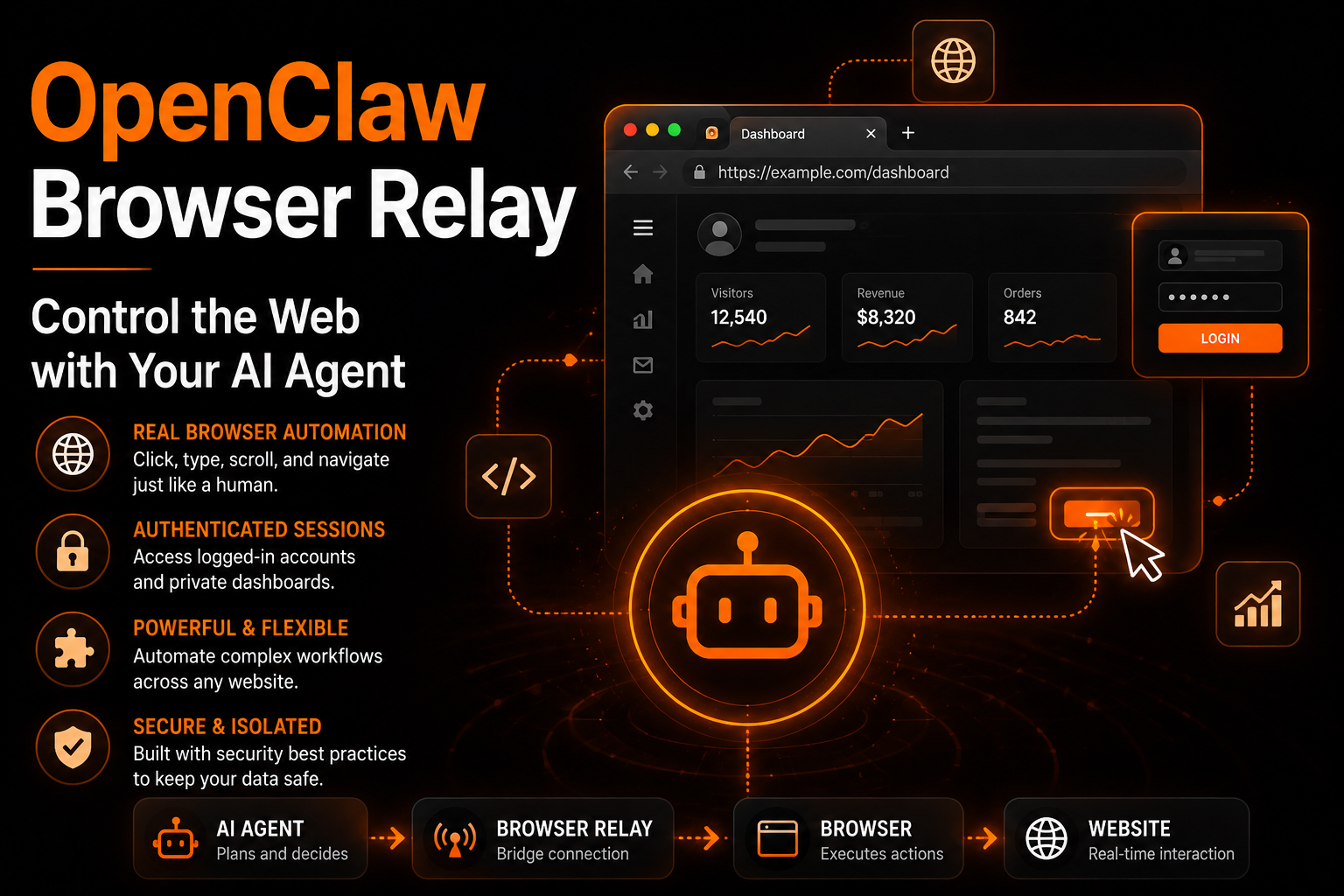
OpenClaw Browser Relay: What It Is, How It Works, and Why It Matters
One of the most powerful features in OpenClaw is browser automation.
This is where the OpenClaw Browser Relay comes in.
The browser relay allows your OpenClaw agent to interact with a real browser instead of just reading static web pages. It gives your AI agent the ability to:
- Open websites
- Click buttons
- Fill forms
- Read dynamic content
- Use logged-in sessions
- Navigate dashboards
- Automate workflows
For many users, this is the feature that turns OpenClaw from a chatbot into a true AI operator.
But browser relay is also one of the most misunderstood parts of the OpenClaw ecosystem.
Users frequently run into:
- Relay connection errors
- WebSocket failures
- Pairing issues
- Browser crashes
- Extension disconnects
- Authentication problems
In this guide, we will explain:
- What OpenClaw Browser Relay is
- How it works
- Why it matters
- Common problems users face
- How to fix browser relay issues properly
- The future of browser automation in OpenClaw
If you are new to OpenClaw, you may also want to read:
- OpenClaw Skills
- Best OpenClaw Skills (Real Use Cases That Actually Work)
- OpenClaw Not Working? 15 Common Errors and How to Fix Them
What Is OpenClaw Browser Relay?
OpenClaw Browser Relay is the bridge between your AI agent and a real browser session.
Instead of simply scraping websites, the relay allows OpenClaw to:
- Control tabs
- Click page elements
- Scroll pages
- Fill login forms
- Read authenticated content
- Interact with JavaScript-heavy apps
Under the hood, the relay typically uses:
- Chrome DevTools Protocol (CDP)
- WebSocket communication
- Browser extension integrations
- Local automation services
According to OpenClaw Launch documentation, the relay works as a connection layer between OpenClaw and Chromium-based browsers using CDP.
This is similar to how tools like:
- Puppeteer
- Playwright
- Chrome DevTools
control browsers programmatically.
Why Browser Relay Is Important
Without browser relay, OpenClaw can still:
- Search the web
- Read public pages
- Summarize information
But it cannot fully interact with modern websites.
Browser relay enables:
Real Browser Automation
Your agent can:
- Log into platforms
- Use dashboards
- Navigate authenticated pages
- Interact with SaaS tools
Real User Sessions
One major advantage of the original relay system was access to:
- Existing cookies
- Browser sessions
- Saved logins
- Active tabs
This made OpenClaw extremely powerful for automation.
Dynamic Website Support
Many modern websites rely heavily on JavaScript.
Without browser relay, these pages may not load correctly for AI agents.
Browser relay solves this problem.
How OpenClaw Browser Relay Works
The typical architecture looks like this:
OpenClaw Agent
       ↓
Gateway / WebSocket
       ↓
Browser Relay
       ↓
Chrome Extension or Headless Browser
       ↓
Website Interaction
In older OpenClaw versions, browser relay commonly relied on a Chrome extension and WebSocket bridge.
Newer OpenClaw deployments increasingly use:
- Headless Chromium
- Puppeteer-based automation
- Managed browser profiles
instead of traditional extension relays.
Browser Relay vs Managed Browser
This is where many users get confused.
Old Browser Relay
The original browser relay system:
- Connected to your real browser
- Used your actual sessions
- Worked with existing tabs
- Accessed authenticated websites
Pros
- Uses your real sessions
- Better for authenticated workflows
- Easier access to logged-in websites
Cons
- Less isolated
- More security risks
- Extension instability
- WebSocket complexity
Managed Browser (Newer Approach)
Modern OpenClaw versions increasingly use isolated browser environments.
Pros
- More secure
- Better isolation
- Stable execution
- Easier automation
Cons
- No access to your personal sessions
- Requires separate logins
- Some workflows become harder
Real Use Cases for OpenClaw Browser Relay
1. Automated Research
Your agent can:
- Open articles
- Extract content
- Compare sources
- Summarize findings
2. Social Media Automation
Users automate:
- X/Twitter posting
- TikTok workflows
- Analytics dashboards
- Content scheduling
This is becoming increasingly popular inside OpenClaw skill marketplaces.
Related:
3. Dashboard Management
Browser relay allows interaction with:
- Notion
- CRMs
- Analytics tools
- Admin dashboards
4. Form Automation
Agents can:
- Fill forms
- Submit applications
- Process repetitive workflows
5. E-Commerce Automation
Some users automate:
- Inventory checks
- Product monitoring
- Pricing research
- Order tracking
Common Browser Relay Errors
This is where most users struggle.
1. “Relay Not Reachable”
One of the most common issues.
Usually caused by:
- Browser process not running
- Incorrect relay port
- Firewall blocks
- Broken WebSocket connection
Fix
Check:
openclaw gateway status
Restart services:
openclaw gateway restart
Verify ports:
lsof -i :18792
2. “Pairing Required” Error
This error appears frequently in community discussions.
Usually caused by:
- Invalid gateway tokens
- Authentication mismatch
- Stale sessions
Fix
- Remove old extension installs
- Generate a new token
- Reconnect relay
- Restart gateway service
3. Browser Disconnects Mid-Task
Many users report relay disconnections after page interactions.
Common causes:
- Chrome updates
- Extension conflicts
- WebSocket instability
- Browser crashes
Fix
- Disable conflicting extensions
- Use Chrome Canary or stable builds consistently
- Reinstall the relay extension
- Clear stale sessions
4. Browser Relay Works Locally But Not on VPS
Very common for self-hosted users.
Why It Happens
Your OpenClaw instance runs remotely, but the browser runs locally.
This creates:
- Port mapping issues
- Firewall problems
- WebSocket routing failures
Fix
- Expose the correct relay port securely
- Verify localhost bindings
- Ensure the browser extension points to the correct gateway URL
Browser Relay Security Risks
Browser relay is powerful, but it introduces security risks.
This is extremely important.
1. Session Access
If your relay connects to your real browser:
- Your cookies may be accessible
- Active sessions may be exposed
- Logged-in dashboards become accessible to the agent
2. Malicious Skills
Some malicious OpenClaw skills have already been reported in the ecosystem.
These skills may:
- Abuse browser access
- Extract credentials
- Steal tokens
3. Prompt Injection
Researchers have shown that OpenClaw agents can be manipulated through malicious content.
This becomes more dangerous when browser automation is enabled.
Best Security Practices
Use Isolated Browser Profiles
Avoid connecting OpenClaw directly to your personal browser.
Instead:
- Use dedicated profiles
- Separate work sessions
- Avoid personal accounts
Review Skills Carefully
Never blindly install unknown skills.
Especially those requesting:
- Browser access
- Shell access
- Credential access
Restrict Sensitive Automation
Avoid giving OpenClaw unrestricted access to:
- Banking
- Crypto wallets
- Password managers
Keep OpenClaw Updated
Security fixes happen frequently.
Older versions may contain vulnerabilities.
Related:
Browser Relay vs Puppeteer
OpenClaw is increasingly shifting toward managed browser automation using Puppeteer and isolated Chromium environments.
Why?
Because Puppeteer provides:
- Better stability
- Improved retry logic
- More predictable execution
- Stronger isolation
This reduces many relay-related problems.
Is Browser Relay Still Worth Using?
Yes, absolutely.
For many advanced workflows, browser relay is still one of the most valuable OpenClaw features.
Especially if you need:
- Authenticated workflows
- Real sessions
- Human-like browsing
- SaaS automation
But it requires careful setup and security awareness.
Best Practices for Stable Browser Automation
Use Smaller Workflows
Do not automate huge chains in one task.
Break workflows into stages.
Add Retry Logic
Browser automation fails sometimes.
Your workflows should retry intelligently.
Related:
Monitor Token Usage
Browser automation can increase token usage significantly.
Related:
Match Models to Complexity
Cheap models often fail in browser workflows.
Use stronger models for:
- Multi-step tasks
- Complex navigation
- Dynamic websites
Related:
Final Thoughts
OpenClaw Browser Relay is one of the features that makes OpenClaw different from traditional automation tools.
It transforms AI from:
- A chatbot
into
- A true browser-operating agent
But it also introduces:
- Complexity
- Stability challenges
- Security risks
The users who succeed with browser relay usually follow three rules:
- Keep workflows structured
- Use isolated browser environments
- Treat browser automation like infrastructure, not magic
When configured properly, OpenClaw Browser Relay becomes incredibly powerful.
It enables real AI-driven browser automation that most traditional tools still cannot match.