
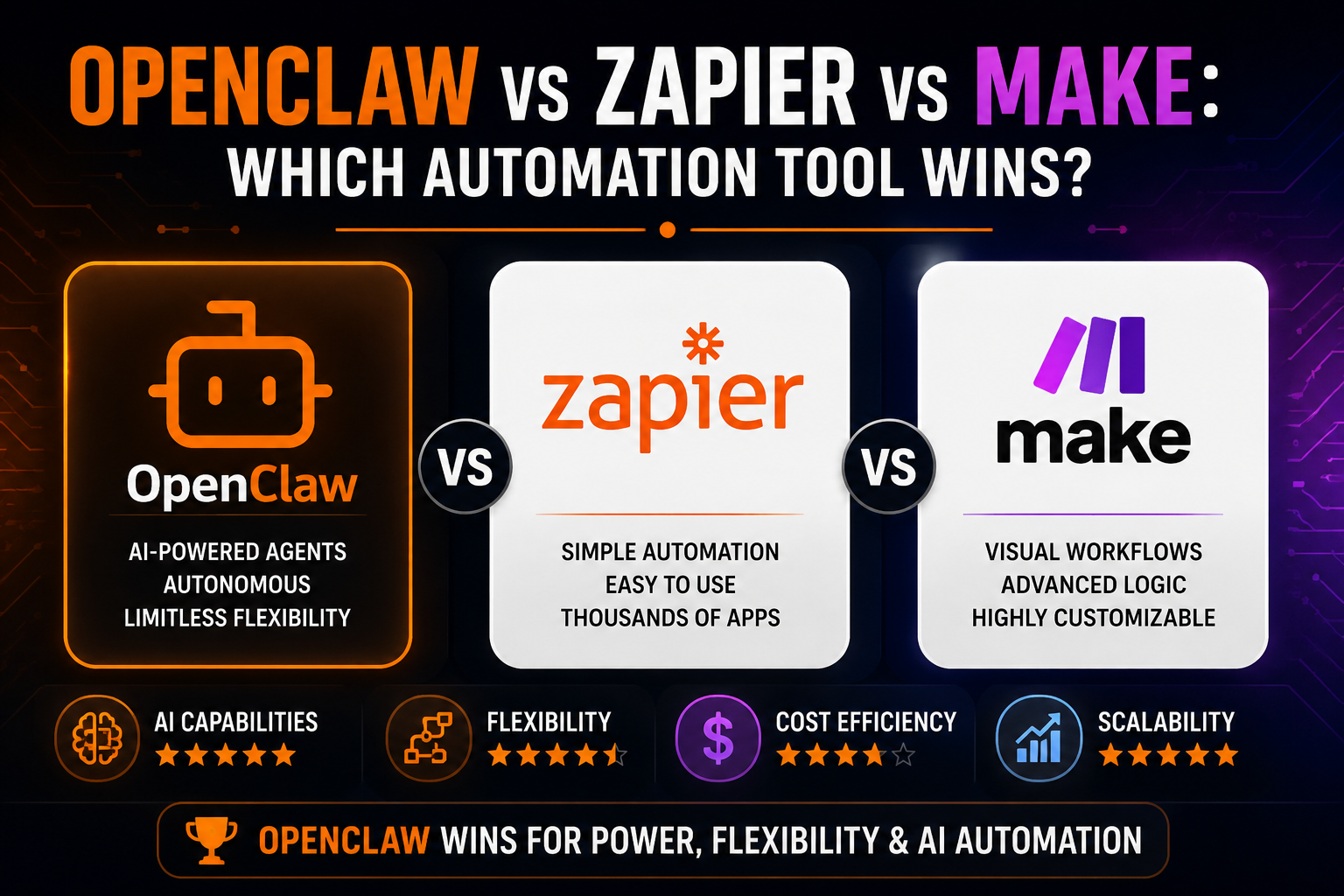
OpenClaw vs Zapier vs Make: Which Automation Tool Wins?
Automation tools are evolving fast.
For years, platforms like Zapier and Make dominated workflow automation. They helped businesses connect apps, automate repetitive tasks, and reduce manual work without code.
Then OpenClaw arrived.
Unlike traditional automation tools, OpenClaw introduces something much more powerful:
AI-driven autonomous automation.
But does that make it better?
In this guide, we compare:
OpenClaw
Zapier
Make
Based on:
flexibility
automation power
AI capability
ease of use
scalability
real-world business workflows
By the end, you’ll know which platform actually fits your needs.
Quick Verdict
Tool | Best For | Complexity | Flexibility | AI Power |
|---|---|---|---|---|
OpenClaw | AI-native automation | High | Extremely High | Excellent |
Zapier | Simple business workflows | Low | Medium | Basic |
Make | Advanced visual automation | Medium | High | Limited |
Short Version
Zapier = easiest
Make = more flexible workflows
OpenClaw = most powerful overall
But OpenClaw is also the most complex.
What Makes OpenClaw Different?
Zapier and Make are workflow automation tools.
OpenClaw is an AI agent system.
That changes everything.
Traditional automation follows:
Trigger → ActionOpenClaw can:
reason
plan
adapt
retry
use tools dynamically
This makes it fundamentally different.
If you are new to OpenClaw, start with:
OpenClaw beginner guide
1. Ease of Use
Zapier
Zapier wins for beginners.
Why?
Clean UI
Thousands of integrations
Simple setup
You can automate:
Gmail → Slack
Stripe → Sheets
Forms → CRM
In minutes.
Downsides
Limited flexibility
Expensive at scale
Weak AI capability
Make
Make is more advanced than Zapier.
It gives:
visual workflow builder
branching logic
deeper automation control
Downsides
Learning curve higher than Zapier
Still rule-based automation
AI functionality is limited
OpenClaw
OpenClaw is the hardest to use.
Why?
Requires setup
Requires API keys
Requires workflow thinking
But it is also:
far more powerful
far more flexible
Reality
OpenClaw is not for someone who just wants:
Google Sheets → Slack notificationIt is for:
founders
builders
advanced operators
AI-first businesses
2. Automation Power
Zapier
Zapier automates predefined workflows well.
Example:
New lead → Send email
But it cannot:
reason
adapt dynamically
execute multi-step autonomous tasks
Make
Make improves flexibility:
conditional logic
multi-step flows
visual orchestration
Still:
mostly rule-based
OpenClaw
This is where OpenClaw dominates.
OpenClaw can:
browse websites
summarize research
analyze files
generate content
make decisions
retry failed tasks
It behaves more like a digital employee than a workflow tool.
For real examples, see:
10 business workflows you can automate with OpenClaw
3. AI Capability
Zapier AI
Zapier added AI features recently.
But mostly:
AI summaries
AI actions
lightweight assistants
AI is an add-on, not the core.
Make AI
Make integrates AI models through APIs.
But:
you build the logic manually
AI is still secondary
OpenClaw AI
OpenClaw is AI-native.
AI is the foundation.
This means:
dynamic reasoning
contextual memory
autonomous execution
tool orchestration
This is a completely different category.
4. Flexibility
Zapier
Good for:
simple workflows
app integrations
Bad for:
complex systems
advanced logic
Make
Very flexible visually.
You can create:
branching workflows
advanced routing
complex automations
But still constrained by predefined structure.
OpenClaw
OpenClaw is almost infinitely flexible.
You can:
build AI agents
create custom workflows
automate research
run browser tasks
stack multiple skills
This is why marketplaces and skills are becoming important in the ecosystem.
Read:
Best OpenClaw skills (real use cases that actually work)
5. Cost Comparison
Zapier
Cheap initially.
Expensive later.
Why?
task-based pricing
premium integrations
scaling costs
Make
Usually cheaper than Zapier.
Better value for:
medium complexity workflows
OpenClaw
OpenClaw itself can be:
cheaper
or more expensive
Depends entirely on:
hosting
AI model usage
workflow efficiency
This is why understanding token costs matters:
OpenClaw token usage explained and how to cut costs fast
6. Real Business Workflow Comparison
Example 1: Lead Qualification
Zapier
Form submitted → Add to CRMMake
Form submitted → Conditional routing → CRMOpenClaw
Research lead → Analyze company → Score quality → Draft personalized outreach → Store resultsExample 2: Content Marketing
Zapier
Publish scheduled content
Make
Route content through approval flow
OpenClaw
Research trends
Generate content
Optimize headlines
Repurpose for platforms
Analyze engagement
7. Reliability
Zapier
Very stable.
Why?
mature infrastructure
tightly controlled environment
Make
Also reliable, but workflows can become messy at scale.
OpenClaw
Most powerful, but:
more fragile
depends heavily on setup
requires optimization
If your automation keeps breaking, read:
Why your OpenClaw automation fails (and how to fix it)
8. Which Tool Is Best for Founders?
Choose Zapier If:
You want simplicity
You are non-technical
You need quick app automations
Choose Make If:
You want visual workflows
You need more flexibility
You are comfortable with logic systems
Choose OpenClaw If:
You want AI-first automation
You need autonomous workflows
You want maximum flexibility
You are building advanced systems
The Biggest Difference
Zapier and Make automate workflows.
OpenClaw automates thinking.
That is the real shift.
Final Verdict
Best Beginner Tool
Zapier
Best Visual Workflow Tool
Make
Most Powerful Automation Platform
OpenClaw
Conclusion
Zapier and Make are excellent automation tools.
But OpenClaw is something different.
It is:
more powerful
more flexible
more autonomous
At the same time:
more technical
more complex
more demanding to optimize
For most businesses:
Zapier = easiest start
Make = better workflow control
OpenClaw = future-proof AI automation
And as AI agents become mainstream, OpenClaw’s approach becomes increasingly important.
The real question is no longer:
“Which workflow tool should I use?”
It is:
“How autonomous do I want my automation to become?”