
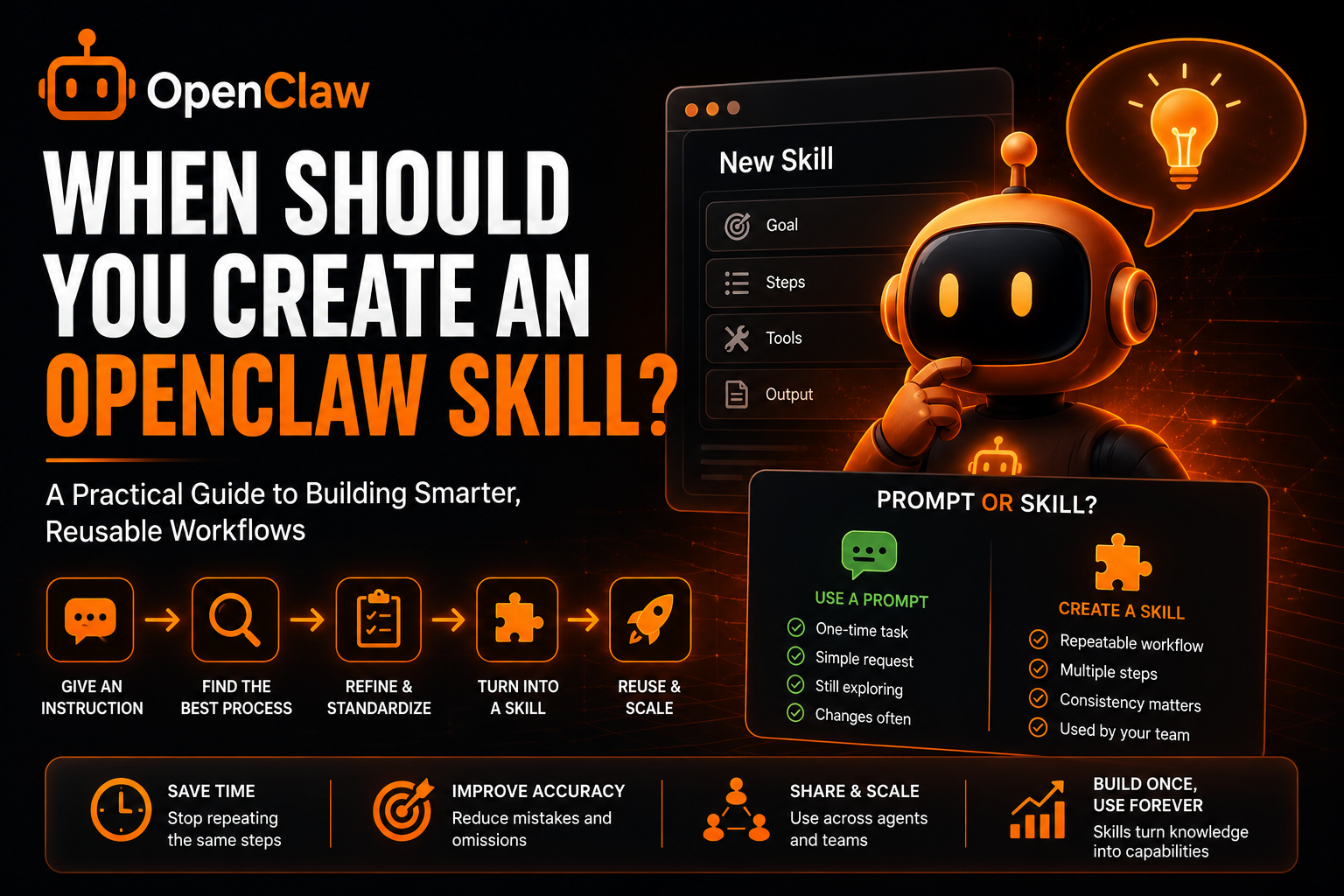
When Should You Create an OpenClaw Skill? (And When You Shouldn't)
One of the most common questions from new OpenClaw users is:
Should this be a skill, or should I just tell the agent what to do every time?
A recent discussion in the OpenClaw community highlighted this exact dilemma.
The user had successfully instructed their OpenClaw agent to:
- Determine their fire center
- Visit the relevant authority website
- Check for fire bans and bulletins
The workflow worked perfectly through a normal chat prompt.
The question then became:
If I'm going to run this frequently, should I create a skill?
The answer is:
Sometimes yes. Sometimes no.
Creating too many skills can make your OpenClaw setup harder to maintain.
Creating too few can force you to repeat the same instructions forever.
This guide explains exactly when you should create an OpenClaw skill and when a simple prompt is enough.
If you're new to OpenClaw skills, start here first:
- OpenClaw Skills
- Best OpenClaw Skills (Real Use Cases That Actually Work)
- The Rise of OpenClaw Skill Marketplaces (And Why They Matter)
The Simple Rule
Use this framework:
| Situation | Use Prompt | Create Skill |
|---|---|---|
| One-time task | ✅ | ❌ |
| Rare task | ✅ | ❌ |
| Repeated workflow | ❌ | ✅ |
| Multi-step process | ❌ | ✅ |
| Team-wide workflow | ❌ | ✅ |
| Needs consistency | ❌ | ✅ |
| Requires special instructions | ❌ | ✅ |
| Changes frequently | ✅ | ❌ |
The more often you perform a workflow, the more valuable a skill becomes.
What Is a Skill Really?
Many users think a skill is simply a saved prompt.
It is more than that.
A skill gives your OpenClaw agent:
- Reusable instructions
- Consistent behavior
- Workflow structure
- Context awareness
- Task specialization
According to OpenClaw documentation and community resources, skills act as modular extensions that teach agents how to perform specific workflows repeatedly and consistently.
Think of a skill as:
Turning a process into a reusable capability.
When You Should NOT Create a Skill
Let's start with the mistake most users make.
They create skills too early.
Scenario 1: You Only Need It Once
Example:
Research local camping regulations for this weekend.
You probably won't run this exact workflow again.
A skill adds unnecessary complexity.
Simply prompt the agent.
Scenario 2: The Workflow Keeps Changing
Suppose you're experimenting with:
- Different data sources
- Different prompts
- Different outputs
You are still discovering the process.
Building a skill too early means you'll constantly edit it.
Instead:
Use chat prompts until the workflow stabilizes.
Scenario 3: The Task Is Extremely Simple
Example:
Summarize this article.
No skill required.
The instruction itself is already simple enough.
Scenario 4: You Don't Yet Know the Best Process
This is common with new users.
Many people build skills before understanding:
- What data is required
- Which tools work best
- Which outputs they need
The result:
Poor skills that later need rebuilding.
When You SHOULD Create a Skill
This is where skills become powerful.
Scenario 1: You Repeat the Same Workflow Frequently
Let's use the fire bulletin example.
The workflow is:
- Determine fire center
- Visit authority website
- Check for fire bans
- Check for bulletins
- Summarize findings
If you run this:
- Daily
- Weekly
- Before every outdoor trip
Then yes.
This should become a skill.
Why?
Because the logic never changes.
Scenario 2: Multiple Steps Are Required
The more steps involved, the more valuable a skill becomes.
Example:
SEO competitor analysis.
Workflow:
- Identify competitors
- Analyze rankings
- Extract keywords
- Compare content
- Generate recommendations
That should absolutely be a skill.
Scenario 3: Consistency Matters
Suppose you're creating reports.
You want:
- Same format
- Same sections
- Same workflow
- Same output structure
A skill guarantees consistency.
A prompt may not.
Scenario 4: You Want Other Agents to Use It
Many OpenClaw users run:
- Research agents
- Marketing agents
- Support agents
- Automation agents
A skill allows all agents to share the same process.
This is one of the reasons skill marketplaces are growing rapidly within the OpenClaw ecosystem.
The Fire Bulletin Example
Let's evaluate the example directly.
Workflow:
Determine local fire center
Visit authority website
Check active bans
Check bulletins
Generate summary
Questions:
Is it repeatable?
Yes.
Does it follow the same process every time?
Yes.
Will it be used frequently?
Probably yes.
Is consistency important?
Definitely.
Result:
This should be a skill.
A Better Test: The 5-Time Rule
One practical framework:
Ask yourself:
Will I run this workflow at least 5 times?
If the answer is no:
Use a prompt.
If the answer is yes:
Consider creating a skill.
By the tenth execution, a skill almost always pays for itself.
Before vs After
Before Skill
User:
Determine my fire center.
Visit authority website.
Check fire bans.
Check bulletins.
Summarize findings.
Every single time.
After Skill
User:
Run Fire Bulletin Monitor.
Done.
Cleaner.
Faster.
More reliable.
The Hidden Benefit Most Users Miss
Most people focus on saving time.
The bigger benefit is reducing mistakes.
Without a skill:
You may forget:
- A step
- A website
- A filter
- An output requirement
Skills eliminate that problem.
The process becomes standardized.
When a Prompt Becomes a Skill Candidate
Watch for these signals:
- You're copy-pasting instructions repeatedly
- You keep using the same websites
- The workflow always follows the same sequence
- The output format rarely changes
- You need consistent results
Once multiple boxes are checked, a skill usually makes sense.
When a Skill Becomes Too Big
This is the opposite problem.
Many users create monster skills that try to do everything.
Bad example:
Marketing Skill
Responsibilities:
- Research
- Writing
- Analytics
- Social media
- SEO
- Reporting
This quickly becomes difficult to maintain.
Instead:
Create smaller skills.
Examples:
- SEO Research Skill
- Content Planning Skill
- Social Media Skill
- Reporting Skill
Smaller skills are easier to improve and debug.
The Future of OpenClaw Skills
The OpenClaw ecosystem is moving toward increasingly specialized skills.
Researchers are even exploring systems where skills evolve based on collective user experiences and repeated workflows.
This trend suggests that:
- Skills will become more reusable
- Workflows will become more standardized
- Agents will improve through shared learning
The users who build effective skills today will benefit most from that future.
Final Thoughts
The answer to the question is:
Yes, create a skill.
The fire bulletin workflow is:
- Repetitive
- Predictable
- Multi-step
- Consistency-driven
That is exactly what skills are designed for.
More broadly, use this simple rule:
Prompts are for exploration. Skills are for repetition.
Start with prompts.
Discover the workflow.
Refine the process.
Then turn it into a skill once you know you'll use it again.
That's the fastest way to build a clean, scalable OpenClaw setup.