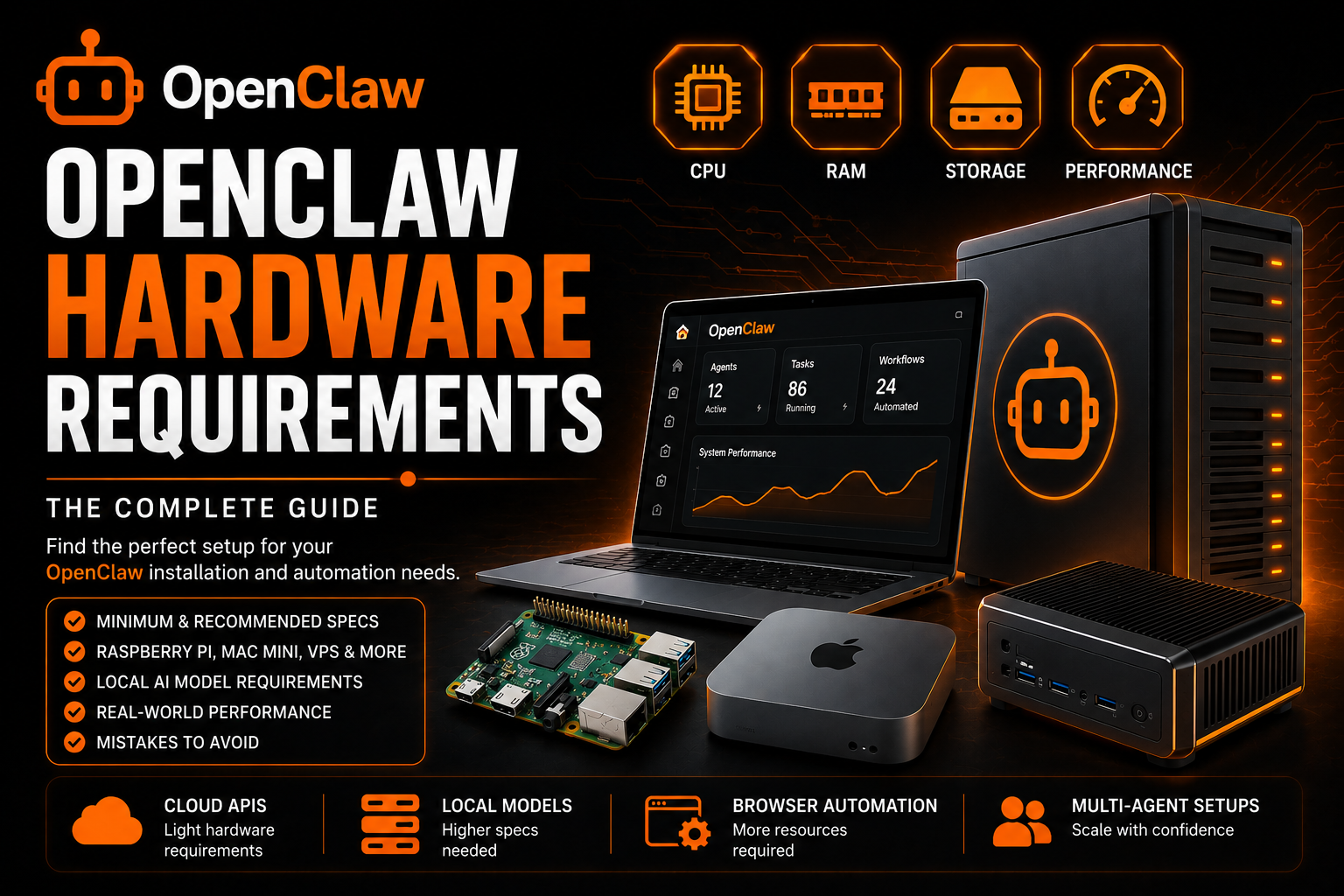
OpenClaw Hardware Requirements (2026 Guide)
If you are planning to run OpenClaw, one of the first questions you will ask is:
What hardware do I actually need?
The problem is that most guides online are either:
- Too vague
- Too technical
- Or massively overestimate the requirements
Some people claim you need:
- A Mac Mini
- A GPU server
- 32GB RAM
- Enterprise hardware
Others say a Raspberry Pi is enough.
So who is right?
The answer depends entirely on how you plan to use OpenClaw.
In this guide, we will break down:
- Minimum OpenClaw hardware requirements
- Recommended specs for different workloads
- VPS vs local hardware
- Raspberry Pi vs Mac Mini vs server
- Local AI model requirements
- The biggest hardware mistakes users make
- Real-world performance expectations
If you are still deciding where to deploy OpenClaw, you may also want to read:
The Most Important Thing Most Users Get Wrong
OpenClaw itself is lightweight.
In most cases:
The AI processing happens in the cloud.
That means:
- OpenAI handles inference
- Anthropic handles inference
- Gemini handles inference
Your OpenClaw machine is mainly:
- Managing workflows
- Running automation
- Handling browser sessions
- Managing tools and memory
This means the hardware requirements are often much lower than people expect.
However:
If you want to run local AI models, hardware requirements increase dramatically.
This is where most confusion comes from.
OpenClaw Hardware Requirements at a Glance
| Usage Type | CPU | RAM | Storage | Recommended Hardware |
|---|---|---|---|---|
| Basic cloud API setup | 2 cores | 2-4GB | 20GB SSD | Cheap VPS / Raspberry Pi |
| Personal automation | 4 cores | 8GB | 50GB SSD | Mini PC / Mac Mini |
| Business workflows | 4-8 cores | 16GB | 100GB SSD | VPS / Dedicated Mini PC |
| Local AI models | 8+ cores + GPU | 32GB+ | NVMe SSD | Gaming PC / Mac Studio |
| Heavy multi-agent setup | 16+ cores | 64GB+ | NVMe RAID | Dedicated server |
Minimum OpenClaw Hardware Requirements
If you only use cloud APIs like:
- OpenAI
- Claude
- Gemini
then OpenClaw can run on surprisingly modest hardware.
Most community users report successful deployments on:
- Raspberry Pi 4/5
- Old laptops
- Cheap VPS servers
- Intel NUCs
Minimum Practical Specs
CPU
- 2 vCPU or dual-core processor
RAM
- 2GB minimum
- 4GB recommended
Storage
- 20GB SSD minimum
Network
- Stable internet connection
Operating System
- Ubuntu 22.04+
- Debian 12+
- macOS 13+
- Windows with WSL2
Recommended OpenClaw Hardware by Use Case
1. Basic Personal Assistant
If you want OpenClaw for:
- Email management
- Calendar automation
- Notifications
- Research
- Daily summaries
then you do NOT need powerful hardware.
Recommended Setup
| Component | Recommendation |
|---|---|
| CPU | 2-4 cores |
| RAM | 4GB |
| Storage | 50GB SSD |
| Hosting | VPS or Raspberry Pi |
This setup handles:
- One user
- Cloud AI APIs
- Basic workflows
Very comfortably.
2. Power User / Founder Setup
This is where many OpenClaw users sit.
Typical workloads:
- Browser automation
- Research pipelines
- Content workflows
- Multi-step agents
- Social automation
Related:
Recommended Specs
| Component | Recommendation |
|---|---|
| CPU | 4-8 cores |
| RAM | 8-16GB |
| Storage | 100GB SSD |
| Hosting | Mini PC / VPS / Mac Mini |
This gives enough headroom for:
- Browser relay
- Multiple skills
- Concurrent automation
- Long-running agents
3. Local AI Model Setup
This changes everything.
If you plan to run:
- Ollama
- Local LLMs
- Qwen
- Llama
- Mistral
then hardware suddenly matters a lot.
Recommended Specs
| Component | Recommendation |
|---|---|
| CPU | 8+ cores |
| RAM | 32GB+ |
| Storage | NVMe SSD |
| GPU | 8GB+ VRAM minimum |
Raspberry Pi for OpenClaw
This is one of the most popular beginner options.
Raspberry Pi 5 (8GB)
A Raspberry Pi 5 can run OpenClaw surprisingly well if you use cloud APIs.
Pros
- Very cheap
- Low power usage
- Silent
- Great for 24/7 uptime
Cons
- Weak for local models
- Limited multitasking
- ARM compatibility issues occasionally
Recommended Pi Setup
| Component | Recommendation |
|---|---|
| Device | Raspberry Pi 5 |
| RAM | 8GB |
| Storage | NVMe SSD |
| OS | 64-bit Raspberry Pi OS |
Important:
Do NOT use cheap SD cards for production.
Multiple users report severe performance problems from HDDs and slow storage.
Mac Mini for OpenClaw
The Mac Mini became extremely popular in the OpenClaw community.
Especially:
- M1
- M2
- M4 models
Why People Like It
Excellent Efficiency
Mac Minis offer:
- Low power draw
- High performance
- Silent operation
Great for Local Models
Apple Silicon performs very well with:
- Ollama
- Small-to-medium LLMs
- Embeddings
Native macOS Integrations
Mac users can automate:
- iMessage
- Notes
- Apple ecosystem workflows
VPS Requirements for OpenClaw
Many users simply run OpenClaw on a VPS.
This is often the best choice for:
- Reliability
- 24/7 uptime
- Remote access
- Team workflows
Development VPS
| Component | Recommendation |
|---|---|
| CPU | 2 vCPU |
| RAM | 4GB |
| Storage | 50GB SSD |
Production VPS
| Component | Recommendation |
|---|---|
| CPU | 4-8 vCPU |
| RAM | 8-16GB |
| Storage | 100GB+ SSD |
HDD vs SSD: The Huge Performance Mistake
This is one of the most important lessons from community deployments.
Do NOT Run OpenClaw on HDD
Users report:
- Slow commands
- Massive delays
- High I/O wait
- Database bottlenecks
Always Use SSD or NVMe
Especially for:
- SQLite databases
- Browser relay
- Memory systems
- Logging
Storage speed affects OpenClaw more than most beginners realize.
How Browser Automation Changes Hardware Requirements
Browser automation adds significant overhead.
Especially when using:
- Multiple tabs
- Chromium
- Browser relay
- Headless automation
Related:
Recommended Browser Automation Specs
| Component | Recommendation |
|---|---|
| CPU | 4+ cores |
| RAM | 8GB+ |
| Storage | SSD mandatory |
How Skills Affect Performance
The more OpenClaw skills you install:
- The more RAM usage increases
- The more background processes run
- The more browser sessions stay active
Related:
Common Hardware Mistakes
1. Overspending Too Early
Many beginners buy:
- Expensive servers
- GPUs
- High-end Macs
before understanding their actual workload.
For cloud AI usage, this is unnecessary.
2. Using HDD Storage
This destroys performance.
Always use SSDs.
3. Running Local Models on Weak Hardware
Small machines struggle badly with local inference.
4. Ignoring RAM
Browser automation and multiple agents consume memory quickly.
5. Trying to Run Everything on One Box
Some users combine:
- Local AI
- Browser automation
- Databases
- Docker
- Multiple agents
on tiny hardware.
This often leads to instability.
OpenClaw Hardware Recommendations by Budget
Budget Setup ($50-$150)
Best for:
- Beginners
- Personal automation
Recommended:
- Raspberry Pi 5 (8GB)
- Cheap VPS
Mid-Range Setup ($300-$800)
Best for:
- Power users
- Founders
- Small teams
Recommended:
- Mac Mini M1/M2
- Intel NUC
- Ryzen mini PC
High-End Setup ($1500+)
Best for:
- Local AI models
- Heavy automation
- Multi-agent systems
Recommended:
- Gaming PC
- Mac Studio
- Dedicated server
Local Models vs Cloud APIs
This is the biggest hardware decision.
Cloud APIs
Pros:
- Cheap hardware
- Easy setup
- Better AI quality
Cons:
- Monthly API cost
- Internet dependency
Local Models
Pros:
- Full privacy
- Offline usage
- No API costs
Cons:
- Expensive hardware
- Higher power usage
- Lower model quality sometimes
For most users:
Cloud APIs remain the best balance.
Related:
Realistic Recommendation for Most Users
If you are unsure:
Start with this:
| Component | Recommendation |
|---|---|
| CPU | 4 cores |
| RAM | 8GB |
| Storage | 100GB SSD |
| AI | Cloud APIs |
| Hosting | VPS or mini PC |
This setup handles:
- Browser automation
- Skills
- Research
- Workflow automation
- Daily usage
without overspending.
Final Thoughts
OpenClaw hardware requirements are much lower than most people think.
For cloud API usage:
- Cheap VPS servers work
- Raspberry Pi works
- Old laptops work
The real hardware demands only appear when you:
- Run local models
- Use heavy browser automation
- Run multi-agent systems
- Scale production workloads
For most users, the smartest strategy is:
- Start cheap
- Learn your workload
- Upgrade only when necessary
That approach saves money and avoids the biggest mistake in the OpenClaw ecosystem:
Buying expensive hardware before understanding how OpenClaw actually works.